Introduction
Software and app installation is one of the most essential processes in today’s digital ecosystem. From computers and laptops to smartphones and tablets, installing the right applications enables productivity, communication, entertainment, education, and business operations. However, improper installation can lead to performance issues, compatibility errors, security risks, and software malfunctions.
Understanding how to install software and applications correctly ensures smooth functionality, system stability, and data security. Whether you are installing office tools, mobile apps, creative software, security programs, or enterprise platforms, following structured installation steps is critical.
This comprehensive guide explains software and app installation fundamentals, installation methods, system requirements, configuration processes, troubleshooting fixes, and best practices for both beginners and professionals.
Understanding Software & App Installation
Software and app installation refers to the process of downloading, copying, configuring, and activating digital programs on devices such as computers, smartphones, and tablets.
Installation involves transferring program files, setting up system permissions, configuring settings, and enabling user access.
Proper installation ensures software integrates smoothly with operating systems and hardware environments.
Importance of Proper Installation
Correct installation ensures optimal performance and stability.
It prevents software crashes and compatibility errors.
Secure installation protects devices from malware risks.
Proper configuration enables full feature access.
Organizations rely on standardized installation for operational consistency.
Types of Software & App Installations
Different installation types serve different purposes.
Standard installation installs default features and recommended settings.
Custom installation allows users to select components and directories.
Silent installation enables automated enterprise deployment.
Portable installation allows software to run without full system installation.
Cloud based apps require minimal local installation.
Understanding installation types improves deployment efficiency.
System Requirements Before Installation
Before installing software or apps, verifying compatibility is essential.
Check operating system version requirements.
Ensure adequate storage space.
Confirm RAM and processor compatibility.
Verify graphics requirements for design or gaming software.
Review dependency frameworks if required.
Meeting system requirements prevents installation failures.
Downloading Software Safely
Always download software from official developer websites or verified app stores.
Avoid pirated or cracked versions, which may contain malware.
Check user reviews and ratings before downloading apps.
Use antivirus scanning to verify installation files.
Safe downloads protect system security.
Installing Software on Windows PCs
Windows installations typically use executable setup files.
Users launch installer packages and follow step by step wizards.
Installation includes accepting license agreements, selecting directories, and configuring shortcuts.
Administrator permissions may be required.
Restarting systems may be necessary after installation.
Installing Software on macOS
macOS installations commonly use DMG files.
Users mount disk images and drag apps into the Applications folder.
Security permissions may require confirmation for verified developers.
macOS emphasizes privacy and sandbox security.
Installing Software on Linux
Linux installations use package managers such as APT, YUM, or Snap.
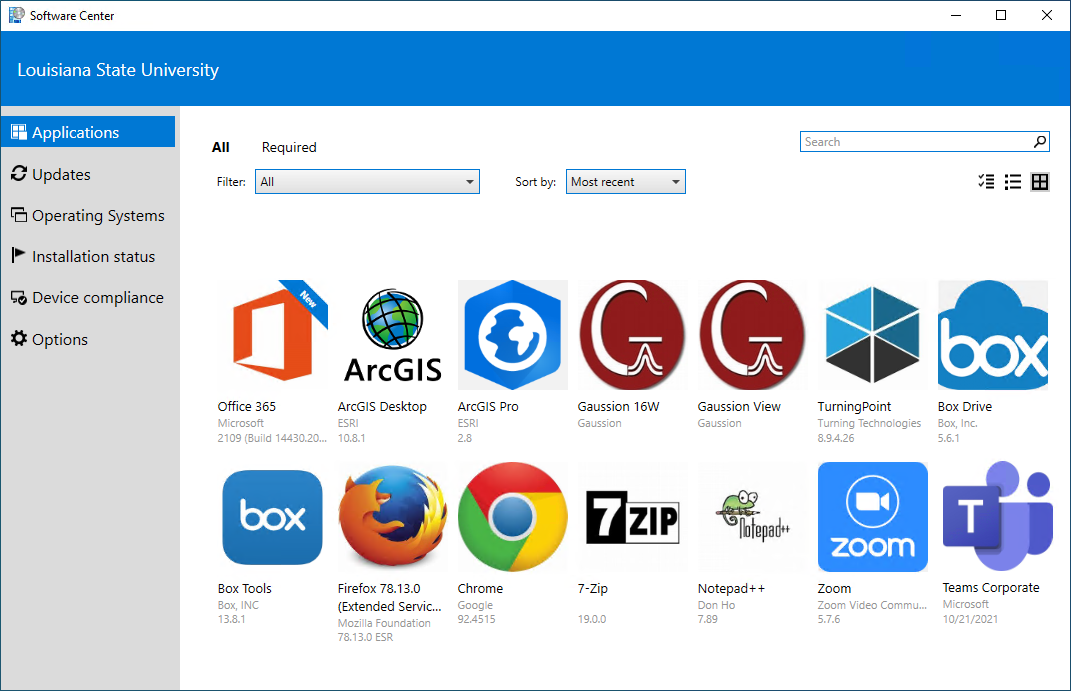
Users install software through command line or graphical software centers.
Dependency packages may install automatically.
Linux installations often require advanced technical knowledge.
Mobile App Installation on Android
Android users download apps from official mobile app marketplaces.
Installation involves granting permissions, configuring accounts, and enabling updates.
Android supports third party installations, but security risks should be considered.
Mobile App Installation on iOS
iOS apps install through the official app marketplace.
Users authenticate downloads using passwords or biometrics.
Apple’s ecosystem ensures strict security and privacy compliance.
Account Setup After Installation
Many software programs require account creation.
Users register using email, phone numbers, or enterprise credentials.
Verification ensures account authenticity.
Account setup enables cloud syncing and personalization.
Software Licensing & Activation
Premium software requires license activation.
Activation may involve product keys, subscriptions, or enterprise credentials.
Proper licensing unlocks full features and ensures compliance.
Unauthorized software usage poses legal and security risks.
Configuring Software Settings
Post installation configuration enhances usability.
Customize preferences, themes, notifications, and integrations.
Configure storage locations and backup settings.
Adjust performance settings for optimal operation.
Updating Installed Software & Apps
Regular updates improve performance and security.
Updates fix bugs and introduce new features.
Enable automatic updates where possible.
Outdated software may become vulnerable to threats.
Troubleshooting Installation Errors
Installation failures may occur due to insufficient storage, compatibility conflicts, or corrupted files.
Troubleshooting steps include restarting devices, clearing storage, updating operating systems, and reinstalling installers.
Error logs help diagnose issues.
Managing Permissions & Privacy
Apps request permissions such as camera, storage, and location access.
Grant only necessary permissions.
Review privacy settings regularly.
Permission control protects user data.
Enterprise Software Deployment
Businesses deploy software across multiple systems.
IT teams use automated deployment tools and centralized licensing.
Enterprise installations require scalability, compliance, and cybersecurity planning.
Cloud Based Software Installation
Cloud apps require minimal installation.
Users access platforms through browsers or lightweight clients.
Cloud deployments reduce hardware dependency.
Backup Before Installation
Backing up data prevents loss during installation failures.
System restore points allow rollback if issues occur.
Backup planning ensures data safety.
Uninstalling & Reinstalling Software
Uninstalling removes corrupted or outdated programs.
Reinstallation resolves performance and compatibility issues.
Clean installations ensure stable functionality.
Best Practices for Software & App Installation
Download only from official sources.
Verify system compatibility.
Keep installation files backed up.
Activate licenses legitimately.
Update software regularly.
Follow developer documentation.
Learning Installation as a Technical Skill
Software installation expertise is valuable for IT support, freelancing, and system administration careers.
Hands on experience enhances technical proficiency.
Certifications validate deployment skills.
Future Trends in Software & App Installation
Cloud native applications will reduce traditional installations.
AI guided installers will automate configuration.
Subscription based software will dominate licensing.
Cross platform installations will increase flexibility.
Automation will streamline enterprise deployments.
Conclusion
Software and app installation is a foundational digital skill essential for individuals and organizations alike. Proper installation ensures system stability, optimal performance, and cybersecurity protection.
From desktop programs and mobile apps to enterprise platforms and cloud services, structured installation processes enable seamless technology use. As digital ecosystems expand, installation knowledge will remain critical for productivity and operational success.
Mastering software and app installation empowers users to manage technology confidently, troubleshoot issues efficiently, and support career growth in the digital age.